
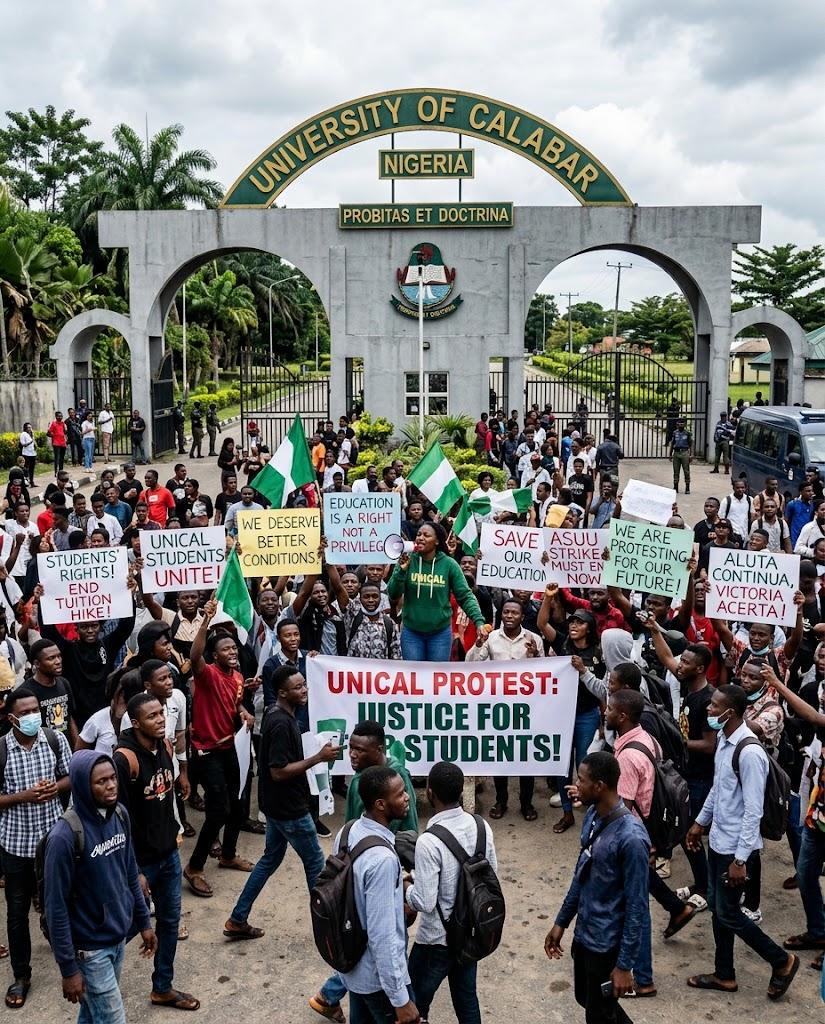
214 UNICAL Students Are Suing Their School (And Tinubu) for ₦5 Billion
Over 200 UNICAL students just dragged their university, VC, and President Tinubu to court over a Law faculty mix-up worth ₦5 billion. Here's everything that happened.

NYSC Survival Guide 2026: Turn Your Service Year Into a Career Launchpad
Camp, PPA politics, allawee budgeting, side hustles, and your month-by-month exit plan — how to turn NYSC 2026 into a career launchpad, not a gap year.
Take today's quiz
Find out which one you are.
Start quizHow to Become a Data Analyst in Nigeria (2026 Guide)
No tech degree, no problem. The realistic 2026 roadmap to becoming a data analyst in Nigeria — free courses, portfolio projects, salaries, and where the jobs are.

How to Network in Nigeria When You Don't Know Anybody
Also on Workie
Everything else this week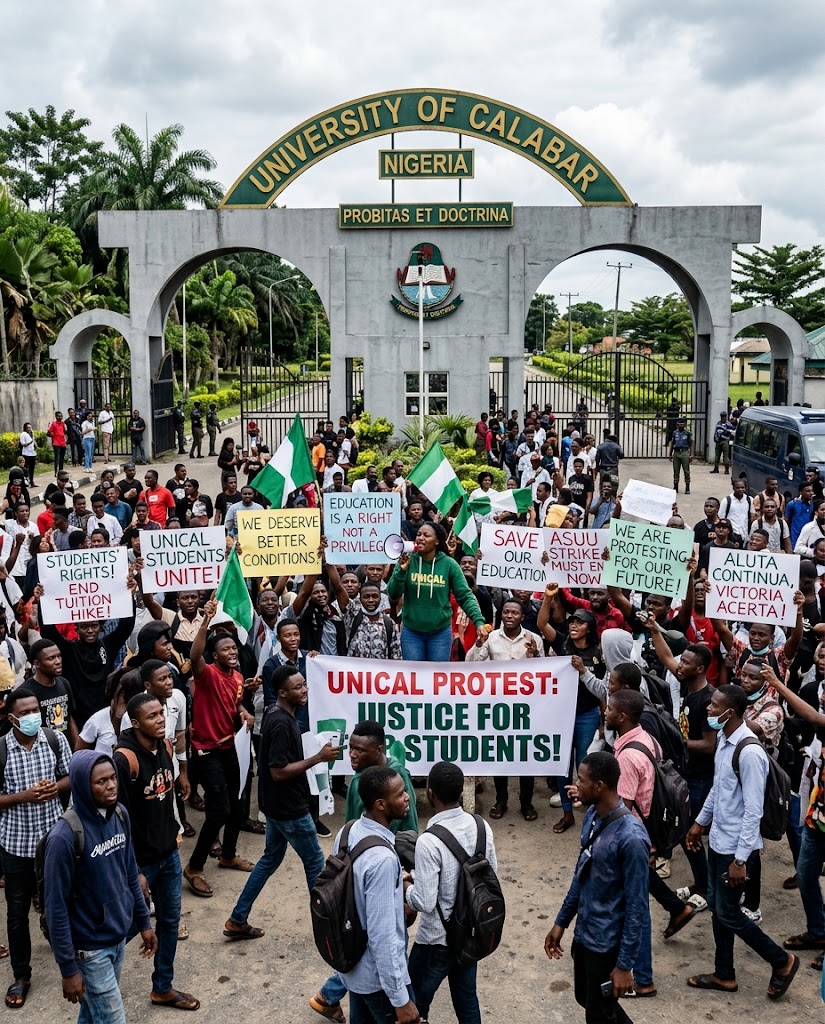
Over 200 UNICAL students just dragged their university, VC, and President Tinubu to court over a Law faculty mix-up worth ₦5 billion. Here's everything that happened.

Camp, PPA politics, allawee budgeting, side hustles, and your month-by-month exit plan — how to turn NYSC 2026 into a career launchpad, not a gap year.

No tech degree, no problem. The realistic 2026 roadmap to becoming a data analyst in Nigeria — free courses, portfolio projects, salaries, and where the jobs are.

No uncle in a boardroom? No wahala. How to build a real professional network in Nigeria from zero — LinkedIn moves, communities to join, event tactics, and cold DMs that get replies.
THIS WEEK'S JOBS
Curated entry-level, graduate and remote opportunities across Africa. Verified pay.
Sales Academy Trainee
Graduate Trainee — Supply Chain & Operations
Graduate Trainee Programme 2026 (Management Trainee & Tech Bootcamp)
Graduate Trainee Programme (Engineering)
Digital, AI and Innovation Internship — Global Call 2026
FREE MONEY, REAL DEADLINES
Scholarships, grants, fellowships & unpaid programmes closing soonest. Not employer jobs.
NNPC/Seplat JV National Undergraduate Scholarship 2026 — Apply Now
The NNPC/Seplat JV National Undergraduate Scholarship 2026 is a prestigious financial aid programme designed to empower Nigerian students pursuing higher education in science, engineering, and technology disciplines. Funded through the joint venture between the Nigerian National Petroleum Corporation (NNPC) and Seplat Energy, this scholarship reflects a deep commitment to developing homegrown talent in the energy and technology sectors. Each year, the programme identifies high-performing undergraduates enrolled at accredited Nigerian universities and provides them with comprehensive financial support to cover tuition fees and related academic expenses. The goal is to reduce the financial burden on students and their families while encouraging academic excellence in fields that are critical to Nigeria's economic development. Recipients of the NNPC/Seplat scholarship join a growing community of scholars who have gone on to make meaningful contributions in engineering, petroleum science, environmental studies, and related industries. The programme not only offers monetary support but also connects students with mentorship opportunities and career guidance within the energy sector. To be considered, applicants must be Nigerian citizens currently enrolled in an undergraduate programme at a recognized Nigerian university. Candidates should demonstrate strong academic performance and a genuine interest in contributing to the nation's development through their chosen field of study. Applications for the 2026 cycle are currently open and the deadline is fast approaching. Interested students are encouraged to submit their applications early to avoid last-minute complications. This is a highly competitive award, and only the most qualified candidates will be selected.
NNPC/Seplat Pearls Quiz Competition 2026 — Win Scholarships and Cash Prizes
The NNPC/Seplat Pearls Quiz Competition is an annual academic challenge that celebrates intellectual excellence among Nigerian secondary school students. Organised by the NNPC/Seplat Energy Joint Venture, this initiative is part of a broader commitment to investing in the next generation of leaders and innovators across Nigeria. The competition brings together some of the brightest young minds from secondary schools nationwide, testing their knowledge in science, technology, mathematics, current affairs, and general studies. Students compete in multiple rounds, progressing from regional qualifiers to the highly anticipated national finals. Beyond the thrill of competition, the Pearls Quiz serves as a powerful platform for talent discovery and academic motivation. Many past winners have gone on to secure full university scholarships and pursue successful careers in engineering, medicine, and technology. The programme demonstrates how corporate social responsibility can create lasting impact in education. Winners and top performers receive generous prizes including full university scholarships, cash awards, laptops, and other educational materials. Schools that produce winning teams also receive recognition and support, creating a ripple effect that benefits entire learning communities. The 2026 edition is now accepting registrations from eligible secondary schools across Nigeria. Schools and students interested in participating should complete their applications before the March 13, 2026 deadline to secure their place in this prestigious academic competition.
Zawadi Africa Education Fund Scholarship 2026 — Fully Funded for African Women
Are you a talented young African woman looking for a life-changing opportunity to pursue higher education? The Zawadi Africa Education Fund Scholarship 2026 is now accepting applications from exceptional female students across the continent. This prestigious program is specifically designed to empower academically gifted girls from economically disadvantaged communities in Africa. Through the Zawadi scholarship, selected candidates receive full financial support to attend top-tier universities in the United States, Uganda, Ghana, South Africa, and Kenya. The scholarship covers tuition fees, accommodation, learning materials, and living expenses — removing the financial barriers that often prevent bright young women from reaching their academic potential. Since its inception, Zawadi has transformed the lives of hundreds of African women by giving them access to world-class education and mentorship opportunities. Applicants must demonstrate strong academic performance, leadership qualities, and a genuine commitment to giving back to their communities after graduation. The selection process is competitive, so candidates are encouraged to apply early and ensure all required documents are submitted before the deadline. If you are a young woman in Africa with big dreams and the determination to succeed, this scholarship could be your gateway to a brighter future. Do not miss this chance — apply today and take the first step toward achieving your educational goals.
Data Analyst in Lagos, Nigeria
Based on 47 anonymous verified submissions (1–3 years)
LEARN SOMETHING TODAY
Bite-sized micro-courses to level up before your next interview or standup. 100% free.
How to Negotiate Your Salary (With Exact Scripts)
Cold Emailing for Remote Jobs: The 3-Sentence Rule
Excel for Business & Finance in 45 Minutes
Editor's picks
All stories →5 Nigerian Students Share Their Brokest University Moments
Nigerian students share hilarious and heartbreaking tales of university broke moments. From garri diets to banking app refresh marathons.
Remote Jobs That Pay in Dollars for Africans: The Complete List
Earning in dollars from Africa is not a myth. Here are the roles, platforms, and payment methods that actually work for African professionals in 2026.
7 Things Nobody Tells You About Your First Job in Lagos
From generator fumes to office politics, here are the harsh truths about starting your career in Lagos that nobody warned you about.
What's new · what's hot
Browse the archive →New this week
Hot right now
Jobs worth your CV
See all jobs →No roles posted yet — new listings land every week.
Money & school
All opportunities →No open scholarships or courses right now — check back soon.
The confessions wall
Read them all →Anonymous“I've been working two remote jobs since March. Two standups. One calendar. Zero guilt.”
Anonymous · Lekki
Anonymous“My oga calls every Saturday at 7am to ask if I'm 'around'. I am not around. I will never be around.”
Anonymous · Ikeja
Anonymous“I put 'Led a cross-functional team' on my CV. It was a WhatsApp group of four people. Two left.”
Anonymous · Yaba
Anonymous“They promoted me to Senior. No raise. Just a bigger chair and more meetings.”
Anonymous · Victoria Island
Anonymous“HR asked for my salary expectation. I said a number. She laughed. I laughed. Nobody was joking.”
Anonymous · Ajah